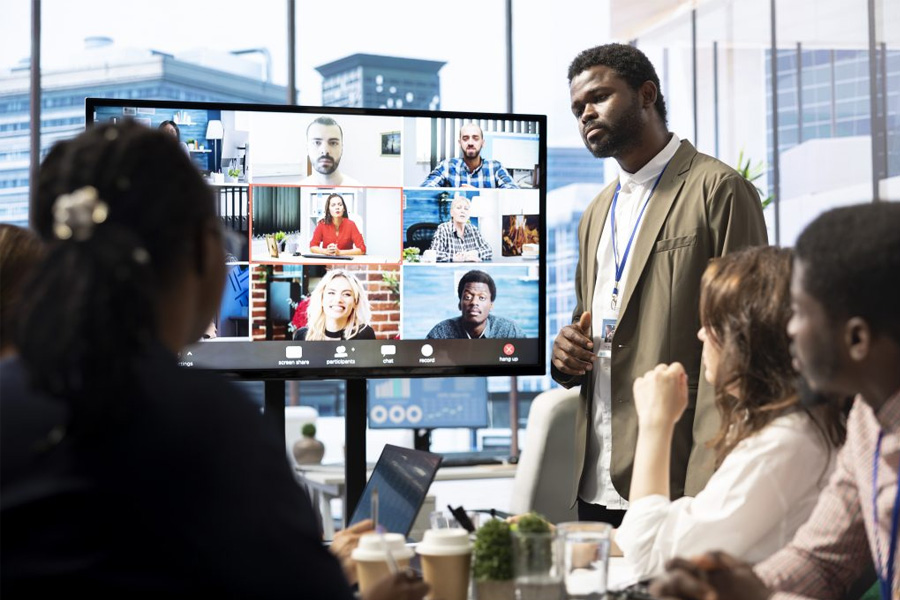
Virtual events have become a standard part of business communication. Companies now host online conferences, leadership meetings, employee training sessions, customer webinars, and product launches for audiences around the world. Success depends on much more than opening a video meeting and sharing slides. Organizations that invest in virtual event production services understand that professional planning, reliable technology, and audience engagement all work together to create a polished online experience. A well-produced virtual event feels organized, interactive, and easy to follow from beginning to end.
Virtual Events Require Careful Planning
Many people assume virtual events are easier than in-person events.
That is rarely true.
Online events have their own technical challenges.
Organizers must plan for:
- Streaming platforms
- Internet reliability
- Audio quality
- Video quality
- Presenter coordination
- Audience interaction
Every element affects the attendee experience.
Define the Purpose Before Planning
Every successful event starts with a goal.
Ask simple questions.
What should attendees learn?
Who is the audience?
What action should they take after the event?
Clear objectives guide every planning decision.
Know Your Audience
Different audiences expect different experiences.
A customer webinar looks very different from an internal employee meeting.
Consider factors like:
- Industry
- Job role
- Technical knowledge
- Time zone
- Audience size
Understanding your audience helps determine the right event format.
Choose the Right Platform
Not every virtual platform offers the same features.
Some support:
- Large conferences
- Breakout rooms
- Live polling
- Screen sharing
- Audience chat
- Q&A sessions
Select a platform that supports your goals.
Do not choose based on popularity alone.
Reliable Internet Is Essential
Internet problems create immediate frustration.
Every presenter should use a stable connection.
Whenever possible:
- Use wired internet.
- Avoid public Wi-Fi.
- Test upload speeds.
- Close unnecessary applications.
Reliable connectivity improves both audio and video quality.
Audio Quality Matters More Than Video
People will tolerate average video.
They quickly become frustrated by poor sound.
Invest in quality microphones.
Avoid relying on built-in laptop microphones whenever possible.
Clear audio improves:
- Audience focus
- Information retention
- Overall professionalism
Good Lighting Improves Every Presentation
Lighting affects how presenters appear on camera.
Natural lighting works well.
Professional lighting works even better.
Avoid sitting directly in front of bright windows.
Even lighting creates a cleaner appearance.
Camera Placement Makes a Difference
Position the camera at eye level.
Avoid awkward angles.
Maintain eye contact with the camera instead of constantly looking at the screen.
This creates a stronger connection with viewers.
Backgrounds Should Stay Professional
The background influences audience perception.
Keep it simple.
Good options include:
- Office spaces
- Neutral walls
- Company branding
- Professional virtual backgrounds
Avoid distractions behind the presenter.
Presentation Slides Should Be Easy to Read
Virtual attendees often view presentations on smaller screens.
Keep slides simple.
Use:
- Large fonts
- High contrast
- Limited text
- Clear graphics
Crowded slides reduce engagement.
Rehearsals Prevent Technical Problems
Practice sessions benefit every presenter.
Rehearsals help verify:
- Microphones
- Cameras
- Screen sharing
- Internet stability
- Presentation timing
Most technical problems are easier to solve before attendees join.
Create a Detailed Event Agenda
Virtual attention spans are shorter than in-person attention spans.
Build an agenda that includes:
- Presentation sessions
- Breaks
- Audience interaction
- Q&A opportunities
Frequent changes keep viewers engaged.
Keep Sessions Focused
Long presentations reduce attention.
Break information into manageable sections.
Shorter sessions encourage better participation.
Avoid unnecessary repetition.
Encourage Audience Participation
Virtual attendees should not remain passive.
Interactive features improve engagement.
Popular options include:
- Live polls
- Question submissions
- Chat discussions
- Surveys
- Interactive quizzes
Participation helps maintain attention.
Use Multiple Speakers
One presenter speaking for an hour can become repetitive.
Multiple speakers introduce variety.
Panel discussions also create more natural conversations.
Different voices keep audiences interested.
Professional Moderators Improve Flow
A moderator keeps the event organized.
Responsibilities include:
- Introducing speakers
- Managing questions
- Watching the schedule
- Assisting attendees
Moderators reduce confusion during transitions.
Screen Sharing Requires Preparation
Always test shared content beforehand.
Verify:
- Resolution
- Video playback
- Audio sharing
- File compatibility
Preparation prevents delays during live sessions.
Record the Event
Recording provides long-term value.
Companies often reuse recordings for:
- Employee onboarding
- Customer education
- Internal training
- Marketing content
One live event can continue generating value for months.
Branding Should Stay Consistent
Virtual events represent your organization.
Maintain consistent branding through:
- Opening slides
- Closing graphics
- Company logos
- Speaker templates
- Color schemes
Professional branding reinforces credibility.
Timing Is Important
Start on time.
End on time.
Respecting attendees’ schedules improves satisfaction.
Well-managed timing also reflects professionalism.
Prepare Backup Plans
Technology occasionally fails.
Backup plans reduce stress.
Examples include:
- Backup presenters
- Duplicate presentation files
- Alternative internet connections
- Secondary devices
Preparation improves confidence.
Technical Support Helps Everyone
Attendees sometimes experience technical problems.
Support staff can assist with:
- Login issues
- Audio troubleshooting
- Video settings
- Platform navigation
Quick assistance keeps participants engaged.
Encourage Networking
Virtual networking is possible with the right tools.
Options include:
- Breakout rooms
- Small group discussions
- Live chat sessions
- Virtual roundtables
Networking adds value beyond presentations.
Monitor Audience Engagement
Watch participation throughout the event.
Helpful metrics include:
- Attendance numbers
- Poll participation
- Chat activity
- Question volume
- Session duration
These insights help improve future events.
Consider Global Audiences
Many virtual events include attendees from multiple countries.
Plan for:
- Time zones
- Language accessibility
- Captioning
- Recording availability
Flexibility increases participation.
Accessibility Improves the Experience
Inclusive events reach more people.
Consider offering:
- Closed captions
- Readable presentation fonts
- Clear audio
- Accessible documents
Accessibility benefits every attendee.
Keep Energy Levels High
Presenters influence audience engagement.
Encourage speakers to:
- Vary vocal tone
- Maintain eye contact
- Speak clearly
- Use natural gestures
Energy translates through the screen.
Avoid Information Overload
Too much information reduces retention.
Focus on the most important points.
Provide additional resources afterward.
Simple presentations often perform better than overloaded ones.
Follow Up After the Event
Communication should continue after the broadcast ends.
Share:
- Presentation recordings
- Resource guides
- Survey links
- Speaker contact information
Follow-up extends the value of the event.
Measure Success
Evaluate results using measurable data.
Review:
- Attendance
- Engagement
- Feedback
- Survey responses
- Technical performance
Data supports continuous improvement.
Professional Production Creates Better Experiences
Well-produced virtual events feel effortless.
Attendees notice:
- Smooth transitions
- Clear audio
- Reliable streaming
- Professional visuals
- Organized presentations
Technology should support communication rather than distract from it.
Common Mistakes to Avoid
Many virtual events lose engagement because of preventable problems.
Avoid:
- Poor microphone quality
- Weak internet connections
- Overloaded slides
- Long presentations
- Limited audience interaction
Simple improvements create a much stronger experience.
Final Thoughts
Virtual events have become an essential way for organizations to connect with employees, customers, partners, and audiences around the world. A successful online event requires careful planning, reliable technology, engaging presenters, and strong technical support. Every detail, from audio quality and lighting to audience interaction and presentation flow, contributes to the overall experience.
Investing in professional virtual event production services helps businesses deliver polished, engaging, and reliable online events that reflect their professionalism. Whether you’re hosting a company meeting, customer webinar, industry conference, or global training session, the right production team can help ensure your virtual event keeps attendees connected, informed, and engaged from start to finish.