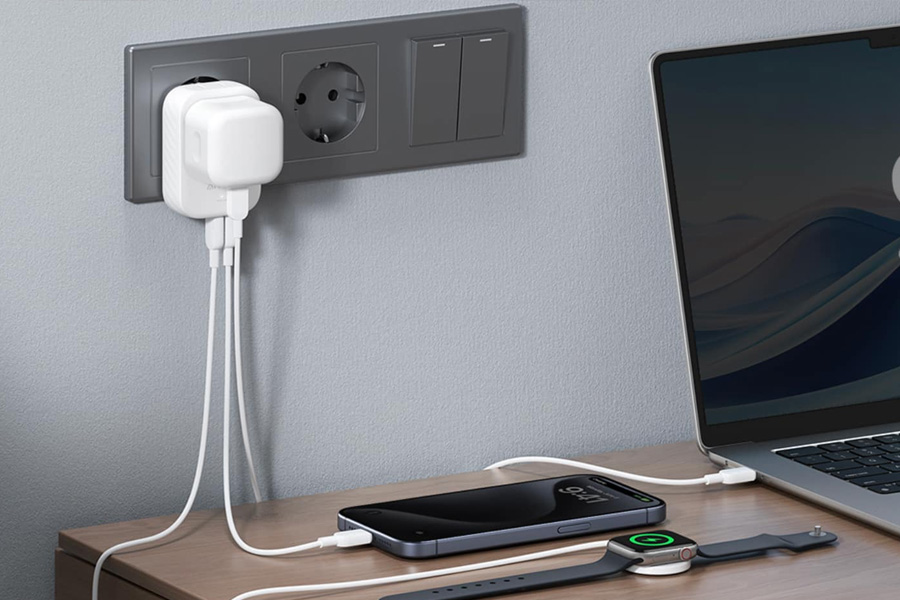
Most first-time travelers pack a plug adapter, then panic at the wall socket. It happens because the world runs on 15 different plug types defined by the IEC, and the US uses just one of them. Knowing how to use a travel adapter correctly protects your phone, your laptop, and your trip. This guide walks you through it in plain steps. No electrical degree required.
What a Travel Adapter Actually Does
A travel adapter changes the shape of your plug so it fits a foreign socket. That is its only job. It does not change the electricity flowing through it.
Here is the part people miss. A travel adapter is not a voltage converter. The US delivers 120 volts at 60 Hz, while much of the world runs on 220 to 240 volts at 50 Hz. An adapter passes that higher voltage straight to your device.
So the real question is not just “will it fit,” but “can my device handle the local voltage.” We answer that below.
How to Use a Travel Adapter: Step by Step
The process is simple once you check voltage first. Follow this order every time.
- Read your charger label. Find the tiny text near the prongs or on the power brick. Look for the input rating.
- Confirm it says “100 to 240V.” This means the device is dual voltage and works worldwide with only an adapter.
- Identify the local plug type. Know the letter used at your destination before you fly.
- Set or select the right prongs. On a universal adapter, slide the correct prongs out until they click.
- Plug the adapter into the wall first. Then connect your device to the adapter.
- Test with one low-risk device. Charge a phone before trusting the socket with a laptop.
That sequence prevents 90% of travel power mistakes.
Adapter vs Voltage Converter: The Difference That Saves Devices
People fry hair dryers and curling irons abroad because they confuse these two tools.
- Adapter: only reshapes the plug. Use it for dual voltage electronics like phones, laptops, and camera chargers.
- Voltage converter: actually steps the voltage down. Use it for single voltage US appliances, such as a 120V-only hair dryer.
If your label reads “120V” only, an adapter alone will send double the voltage into it. That is how equipment burns out. Buy a converter or leave the appliance home.
Know Your Plug Type Before You Fly
Different regions use different letters. A quick reference keeps you prepared.
- United States and Canada: Type A and B, 120V.
- Most of Europe: Type C, E, and F, 230V.
- United Kingdom and Ireland: Type G, 230V.
- United Arab Emirates: Type G, 220 to 240V.
- Australia and New Zealand: Type I, 230V.
A single universal adapter covers most of these letters, which is why frequent flyers prefer one over a drawer of single-country plugs.
Powering Up in the UAE: A Worked Example
The United Arab Emirates is a clear case worth walking through, since millions of US travelers pass through Dubai and Abu Dhabi each year. The UAE uses the British-style Type G socket at 220 to 240V. Your US plug will not fit, and your voltage gap is large.
Good news for modern gear. Phones, laptops, and tablets are almost always dual voltage, so a simple Type G adapter is all you need. Older single-voltage appliances still require a converter.
One thing an adapter cannot fix is your mobile data. Roaming fees stack up fast in the Emirates, and hotel Wi-Fi is unreliable on the move. Many travelers now pair their adapter with a Holafly travel eSIM for the UAE so their phone is online the moment they land. It installs before departure, which means one less thing to sort out at the airport.
Smart Habits for Charging Abroad
A few small habits keep your electronics safe on any trip.
- Choose an adapter with built-in USB-A and USB-C ports to charge several devices at once.
- Prefer models with surge protection, since foreign grids can spike.
- Never force prongs into a socket that resists. Wrong fit means wrong type.
- Unplug the adapter when you leave the room to reduce heat risk.
Frequently Asked Questions
Can I use a travel adapter for my laptop?
Yes, if the charger says “100 to 240V,” which nearly all laptop bricks do. The adapter reshapes the plug while the charger handles the voltage safely.
Will a travel adapter charge my phone slower?
No. A quality adapter does not reduce charging speed. Slow charging usually comes from a weak USB port or a low-output cable, not the adapter itself.
Do I need a different adapter for every country?
Not if you buy a universal model. One universal adapter with slide-out prongs replaces multiple single-country plugs and covers most destinations.
Is it safe to leave a travel adapter plugged in overnight?
Charging a dual voltage device overnight is generally fine with a surge-protected adapter. Still, unplug it when you head out for the day to avoid unnecessary heat.
What happens if I skip the voltage check?
Single voltage US appliances can overheat or burn out instantly on a 230V grid. Always read the label before plugging anything into a foreign socket.
Using a travel adapter comes down to one rule: check the voltage, then match the plug. Do that, and every device you own will power up safely, from Dubai to Dublin.