Key Takeaways
- Video analytics can help teams identify defined safety, security, and operational events sooner.
- Useful alerts support human judgment. They do not replace supervisors, safety managers, or security personnel.
- Clear goals, suitable camera views, and documented response procedures matter more than adding analytics everywhere.
- Privacy rules, limited access, and transparent communication should be part of the plan from the start.
- A focused pilot gives an organization a practical way to test value before expanding.
From Passive Recording to Useful Information
A conventional camera records what happens. Video analytics adds software that can look for selected events within that video, such as a person crossing into a restricted zone or a vehicle moving in the wrong direction. Businesses evaluating https://www.quickresponse.net/monitoring-solutions/video-analytics-surveillance/ should begin with the decisions they need to make, not simply the number of cameras they have.
For example, footage may show an after-hours entry long after it occurs. An analytics rule can flag movement at a closed loading dock and route the alert to the team responsible for reviewing it. The technology can improve awareness, but trained people still need to verify the situation and follow an appropriate response process.
What Video Analytics Can Do Today
Video analytics is software that examines visual data for objects, movement, timing, and activity within defined areas. Depending on the system and camera environment, it may support people and vehicle detection, line crossing, loitering or dwell-time alerts, occupancy counts, perimeter activity, and searchable event tags. Some systems can also be configured to look for safety-related conditions, such as entry into a hazardous zone, blocked pathways, smoke, or missing protective equipment.
Results are not automatic guarantees. Camera angle, image quality, lighting, weather, network conditions, scene congestion, and alert settings all affect whether an event is detected accurately. A well-designed use case is specific enough to test, review, and improve.
Why Recorded Footage Is No Longer Enough
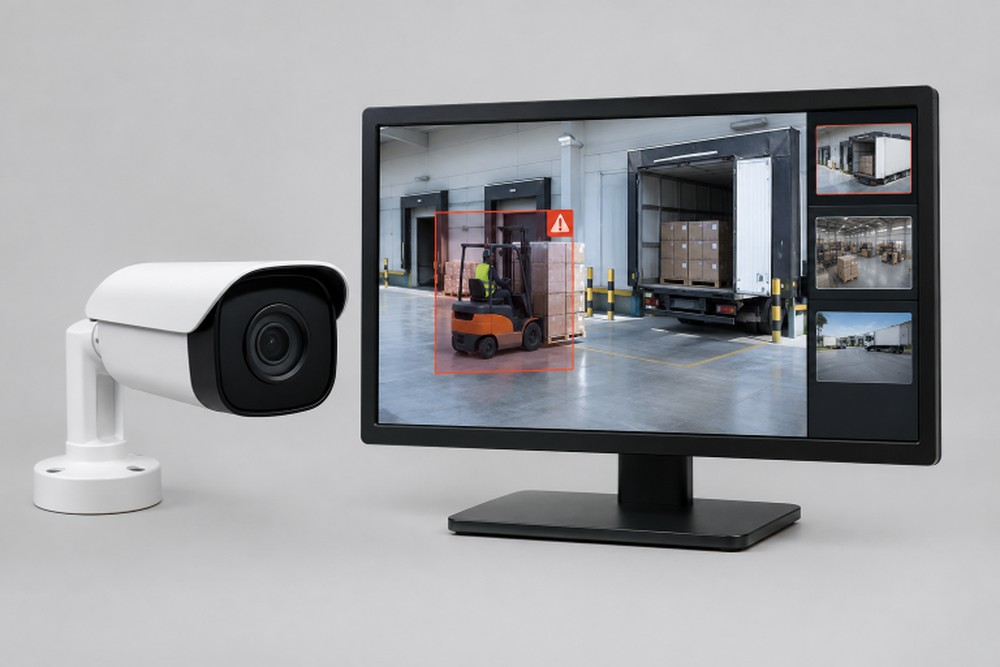
Recorded video remains valuable for investigations, but searching long clips after an incident can delay action. Analytics can reduce the amount of routine footage a person needs to review by bringing attention to defined events. At a warehouse loading area, for instance, a rule might identify pedestrian movement in a vehicle lane during active loading hours.
Faster detection matters only when ownership is clear. Someone must receive the alert, inspect the video, determine whether it is a real issue, and document the outcome. Without that workflow, notifications can become background noise rather than useful information.
Common Workplace Uses
Safety and Site Security
- Safety monitoring: Identify entry into high-risk areas, unsafe proximity between people and moving equipment, blocked exits, or possible PPE concerns where the system is suitable for that task.
- Site security: Flag activity in closed areas, perimeter crossings, unusual dwell time, or objects left in designated locations.
- Traffic and fleet safety: Monitor vehicle routes, pedestrian crossings, loading areas, and other points where people and equipment interact.
Operations and Incident Review
- Retail and customer areas: Review occupancy, queue conditions, congestion, and unusual activity without relying only on continuous manual observation.
- Facility operations: Identify recurring bottlenecks, access issues, poor visibility, or locations where signage and traffic flow may need attention.
- Incident review: Search video by time, zone, object type, or event category to make investigations and coaching more efficient.
How Video Analytics Detects Events
- Capture: Cameras collect live or recorded video in selected areas.
- Process: Software analyzes video on a camera, local device, server, or cloud platform.
- Classify: The system distinguishes categories such as people, vehicles, and other moving objects.
- Compare: It checks activity against rules for a zone, schedule, direction, or duration.
- Alert and review: A notification is sent, then a person verifies whether action is needed.
- Improve: Teams adjust rules, camera views, and response procedures based on real results.
The improvement step is essential. An alert should be treated as a prompt for review, not as confirmation that an incident occurred.
Where It Works Best, and Where It Can Fall Short
Analytics often works best in locations with clear zones, repeatable movement, stable camera angles, and well-defined rules. Warehouses, parking areas, manufacturing floors, campuses, healthcare facilities, construction sites, and commercial properties may all have suitable use cases. Crowded scenes, poor lighting, glare, heavy weather, reflections, shadows, animals, and changing layouts can increase false alerts or missed events.
Track true alerts, false alerts, missed events, response times, and repeat problem areas during testing. The goal is not to generate the most notifications. It is to identify conditions that deserve attention. This approach aligns with hazard prevention and control practices that call for evaluating whether controls are working and involving workers in improvements.
Privacy and Employee Trust
Workplace monitoring needs a clear, legitimate purpose that employees can understand. A policy should explain which areas are monitored, why analytics are used, who can access footage, how long it is retained, and how concerns can be raised. Organizations should also establish role-based permissions, secure storage, and periodic policy reviews.
There is an important difference between monitoring a hazardous work area and using video to make unrelated judgments about individual performance. Before launch, employers should review applicable federal, state, and local requirements. Teams using AI-enabled tools can also apply the risk management principles of reliability, transparency, privacy, and ongoing review.
How to Plan a Pilot Program
- Choose one measurable problem, such as after-hours entry or pedestrian activity near a loading zone.
- Select a test area with useful sightlines, reliable lighting, and enough activity to evaluate results.
- Record baseline measures, including incidents, review time, response time, or safety observations.
- Create simple alert rules and assign a person or team to review each alert.
- Test across shifts and changing conditions, then remove low-value alerts before expanding.
Questions to Ask and Results to Measure
Before choosing a system, ask whether it works with existing cameras, where video is processed and stored, how alerts are verified, which conditions affect performance, and whether rules can vary by zone or schedule. Also ask about privacy controls, software updates, reporting, and connections to access control, alarms, or incident-management tools.
Measure outcomes rather than alert volume. Useful indicators include changes in response time, manual review hours, repeat hazards, investigation time, false-alert rate, and feedback from employees and supervisors. A strong program may reveal a recurring blind spot, leading to better lighting, clearer signage, or a safer traffic pattern.
Make the Camera System More Useful
Video analytics is most effective as one part of a broader safety and security process. Clear goals, thoughtful camera placement, privacy safeguards, trained reviewers, and regular adjustment turn video from passive evidence into timely, responsible action.